Generics and Item Families
Share trusted defaults and control which materials may substitute.
A generic is a rule, not a stocked product
A generic groups interchangeable physical items and owns defaults they share. Inventory is received, counted, and traced against physical child items. Recipes and planning may refer to the generic when any eligible child is acceptable.
Why Use Generics?
One source of truth
Keep common UoM, precision, storage, cold-chain, and stock defaults in one family record.
Safe substitution
Let a recipe accept any approved child without listing every brand or package as a separate formula.
Better planning
Cost and availability can be evaluated across the permitted family while physical lots remain fully traceable.
How Inheritance Works
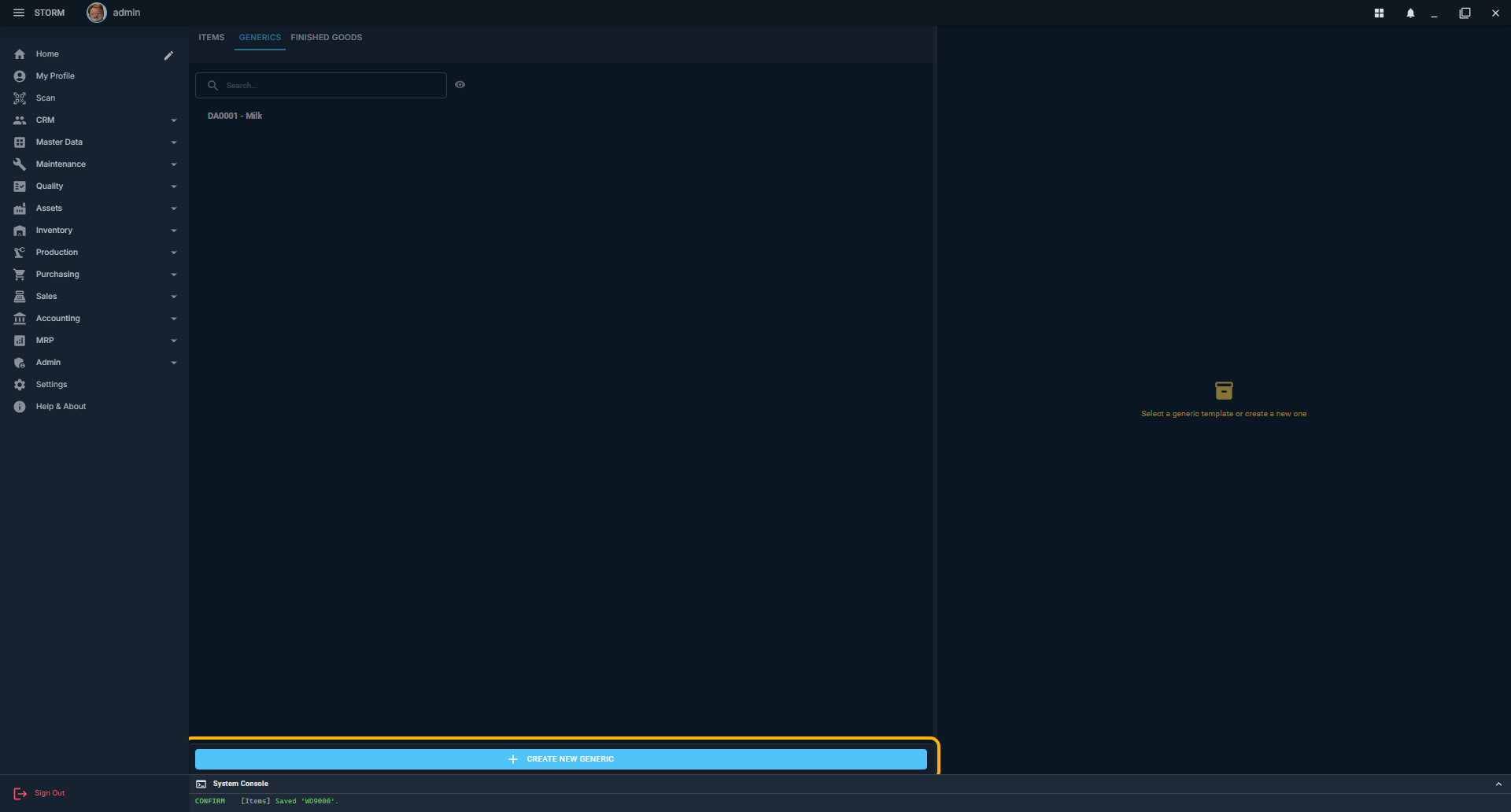
- Create the generic. On Items, select the Generics tab and click Create New Generic.
- Define shared defaults. Set its code, name, category, Base UoM, precision, stock defaults, storage rules, and other values that should be true for the family.
- Create or edit a physical item. On the Items tab, select the generic in Parent ItemCode.
- Inherit by default. Locked inherited fields continue to use the parent's effective value. If the generic changes, those children see the updated value.
- Override only exceptions. Unlock a field on the child when that physical product truly differs. The child then owns that value until it is returned to inheritance.
- Use the generic on a recipe. A generic material line means Any eligible physical child can satisfy that requirement when production starts.
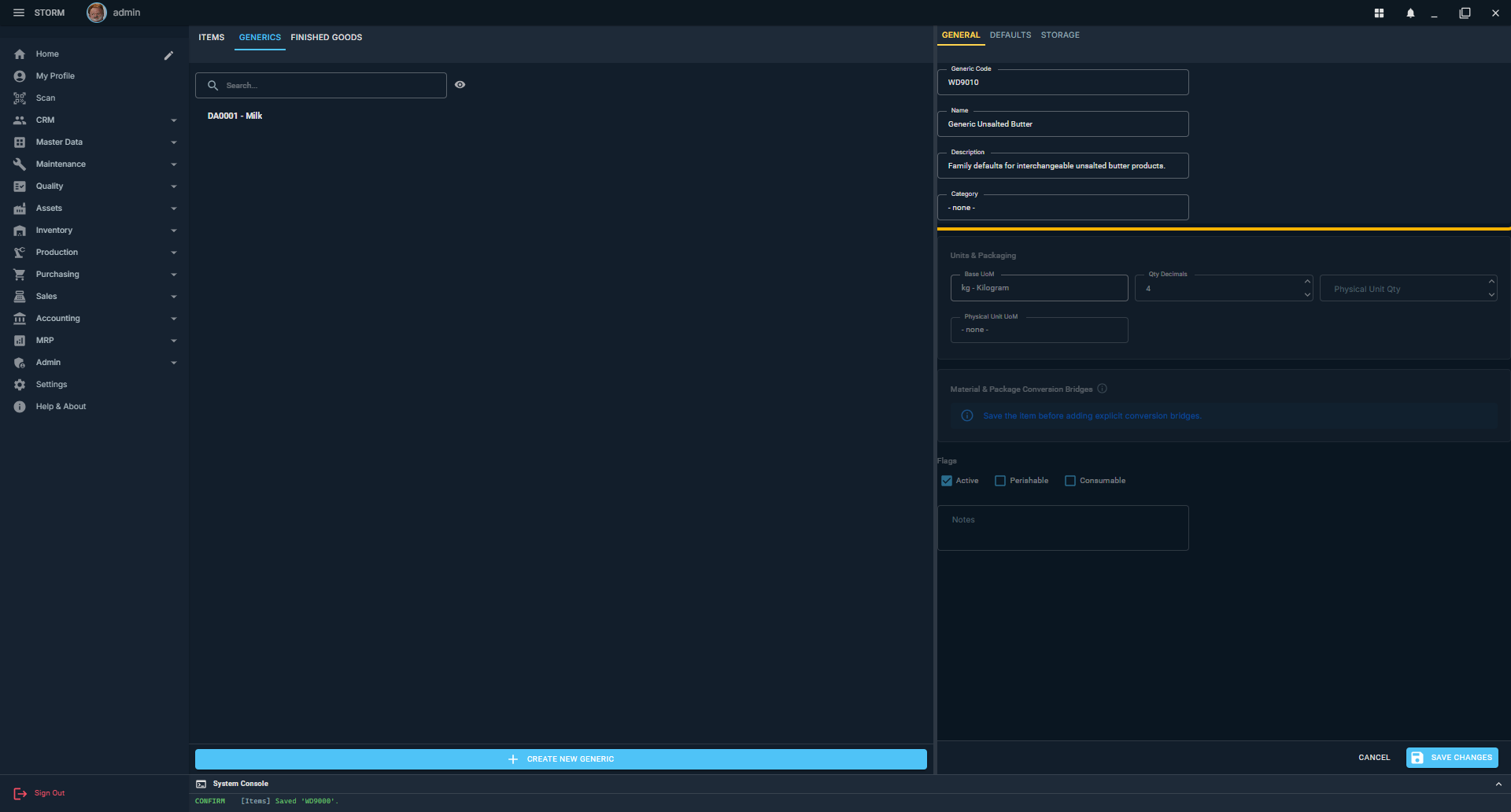
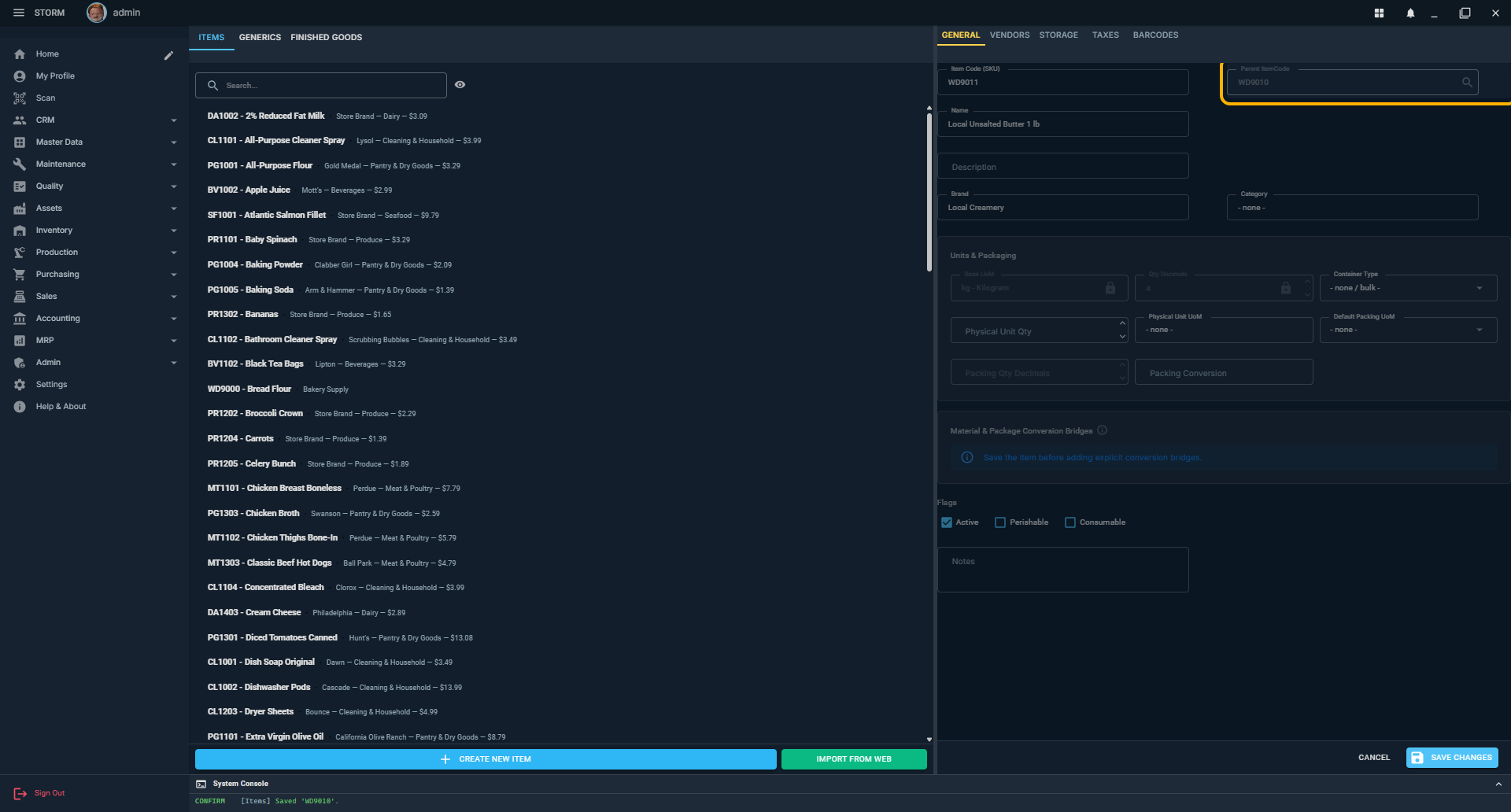
Butter Family Example
| Recipe asks for | Eligible inventory | Excluded |
|---|---|---|
| Generic Butter | Any physical descendant in the Butter tree | Items outside Butter |
| Generic Unsalted Butter | Only physical descendants of Unsalted Butter | Every Salted Butter descendant |
| Brand A Unsalted, Preferred | Brand A first; another Unsalted sibling if needed | Salted Butter |
| Brand A Unsalted, Required | Only that exact physical item | Every substitute |
Approved Multi-Level Hierarchy Direction
The planned model uses one direct parent per record and allows any number of ancestors. This produces a clear, non-cyclic tree without the conflicting values that multiple direct parents would introduce.
- A generic may inherit from another generic; a physical item may inherit from a generic.
- Inheritance resolves from the root toward the physical item. The nearest explicit value wins.
- Self-parenting and any change that creates a cycle are rejected.
- A recipe targeting a generic may use physical descendants of that node, not cousins or ancestors.
- Generic records never hold inventory. Availability is the usable stock of eligible physical descendants.
- Existing Any, Preferred, and Required recipe behavior remains intact at every level.
Good Generic Design
Create a branch when...
- substitution across the branch would be unsafe or change the product;
- a recipe needs to name that subset, such as Unsalted Butter;
- the subset shares meaningful rules or conversions; or
- planning must measure its availability separately.
Keep a physical item separate when...
- it has its own barcode, vendor offer, package, or lot history;
- quality or regulatory identity must remain exact;
- the operator receives and counts it as a distinct product; or
- a recipe may require that exact item.