Create a Recipe / BOM
A practical bread example with material, sourcing, and utility choices.
What a recipe controls
A recipe, also called a Bill of Materials (BOM), defines what one production batch consumes and how much it yields. Material lines may name an exact item or a generic family. Labor and overhead lines can add non-inventory production cost.
Bread Example
This example produces 10 loaves. Quantities are illustrative; use your approved formula, batch size, and configured UoMs.
| Line | Ingredient | Example qty | Sourcing | Reason |
|---|---|---|---|---|
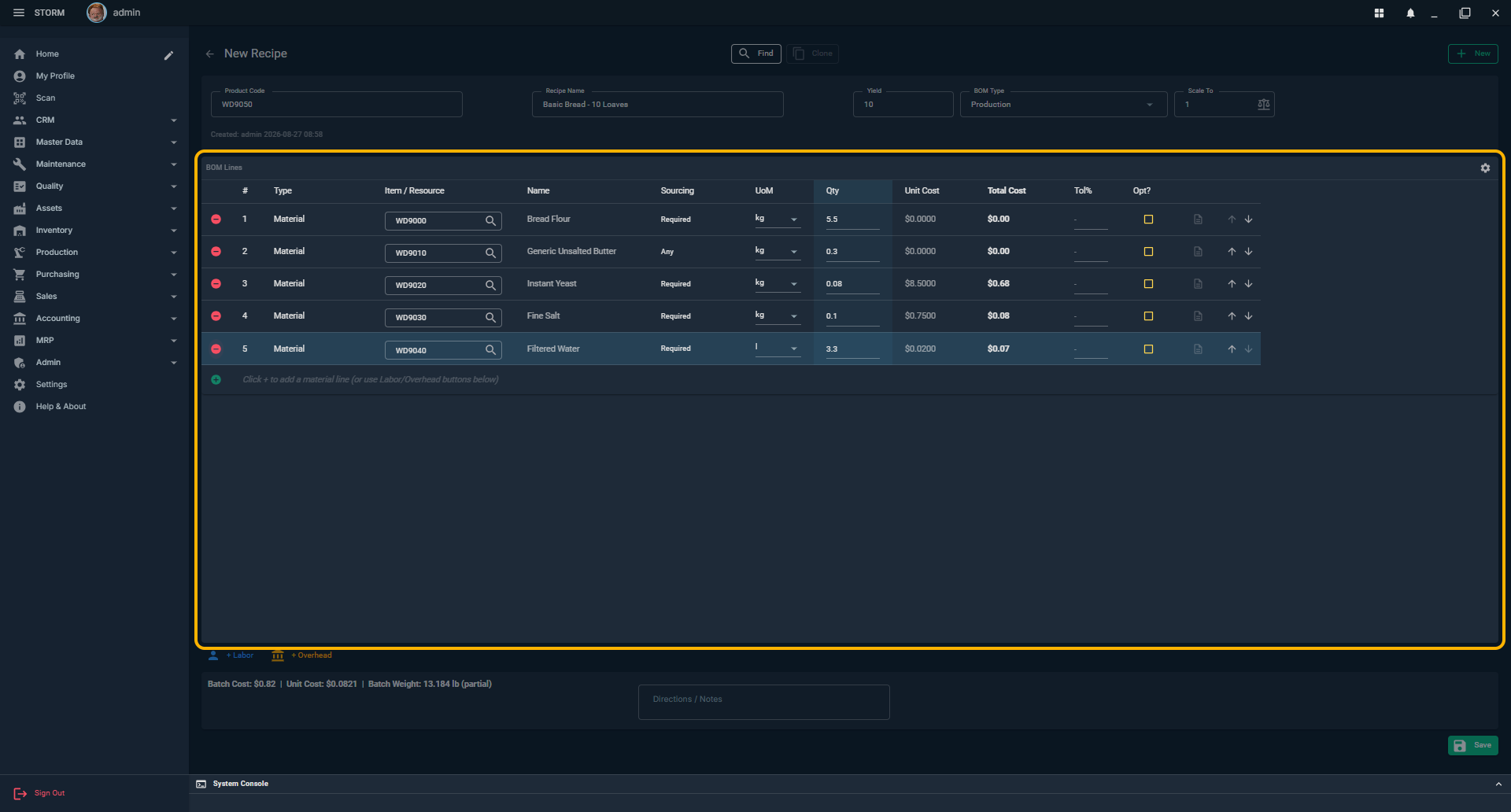
| 1 | Bread Flour | 5.50 kg | Required | The illustrated formula uses the exact flour item created in the preceding guide. |
| 2 | Generic Unsalted Butter | 0.30 kg | Any | Unsalted substitutes are allowed; salted butter is excluded. |
| 3 | Instant Yeast | 0.08 kg | Required | The formula requires this exact standalone item. |
| 4 | Salt | 0.10 kg | Required | Use the exact controlled ingredient. |
| 5 | Water (optional) | 3.30 L | Required | Include only when water is tracked as inventory. |
2. Build the Bread BOM
- Prepare the ingredients. Create the flour, butter, yeast, salt, and any tracked water items first. Create generic families before using them on a recipe.
- Open Recipes / BOM. Click New to open a blank recipe.
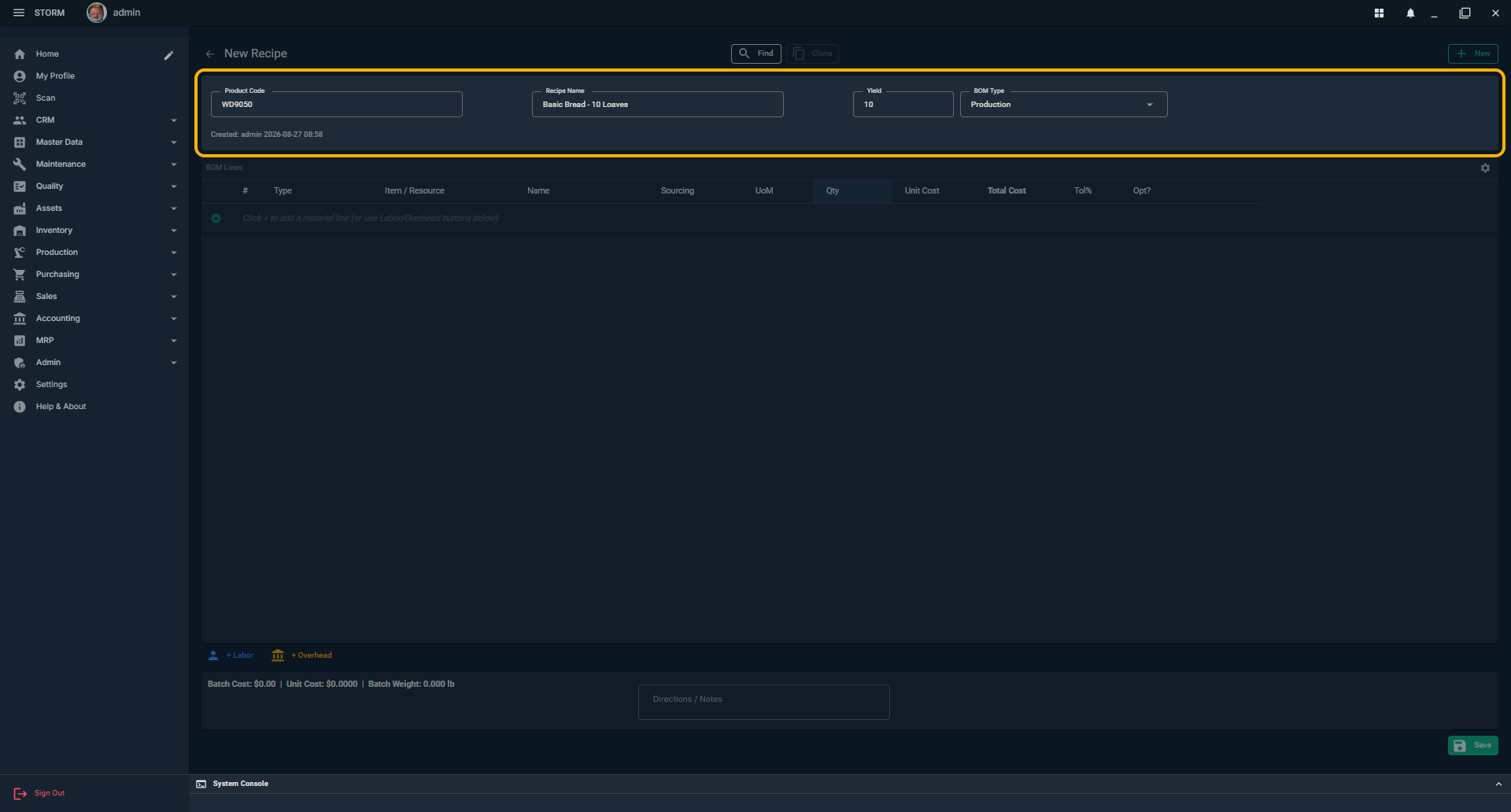
- Enter the product. Set Product Code (for example BREAD-WHITE), Recipe Name, Yield of 10, and BOM Type of Production. Saving can create or update the corresponding finished-good item.
- Add the first material. In BOM Lines, click the + control, search for the ingredient, select it, then enter the recipe UoM and quantity.
- Repeat for every ingredient. Add flour, butter, yeast, salt, and water only if water is tracked. Put scrap or planned overage in Add'l rather than silently inflating the formula quantity.
- Review sourcing. A generic line displays Any. A physical child defaults to Preferred and can be changed to Required. A standalone item is always exact and displays Required.
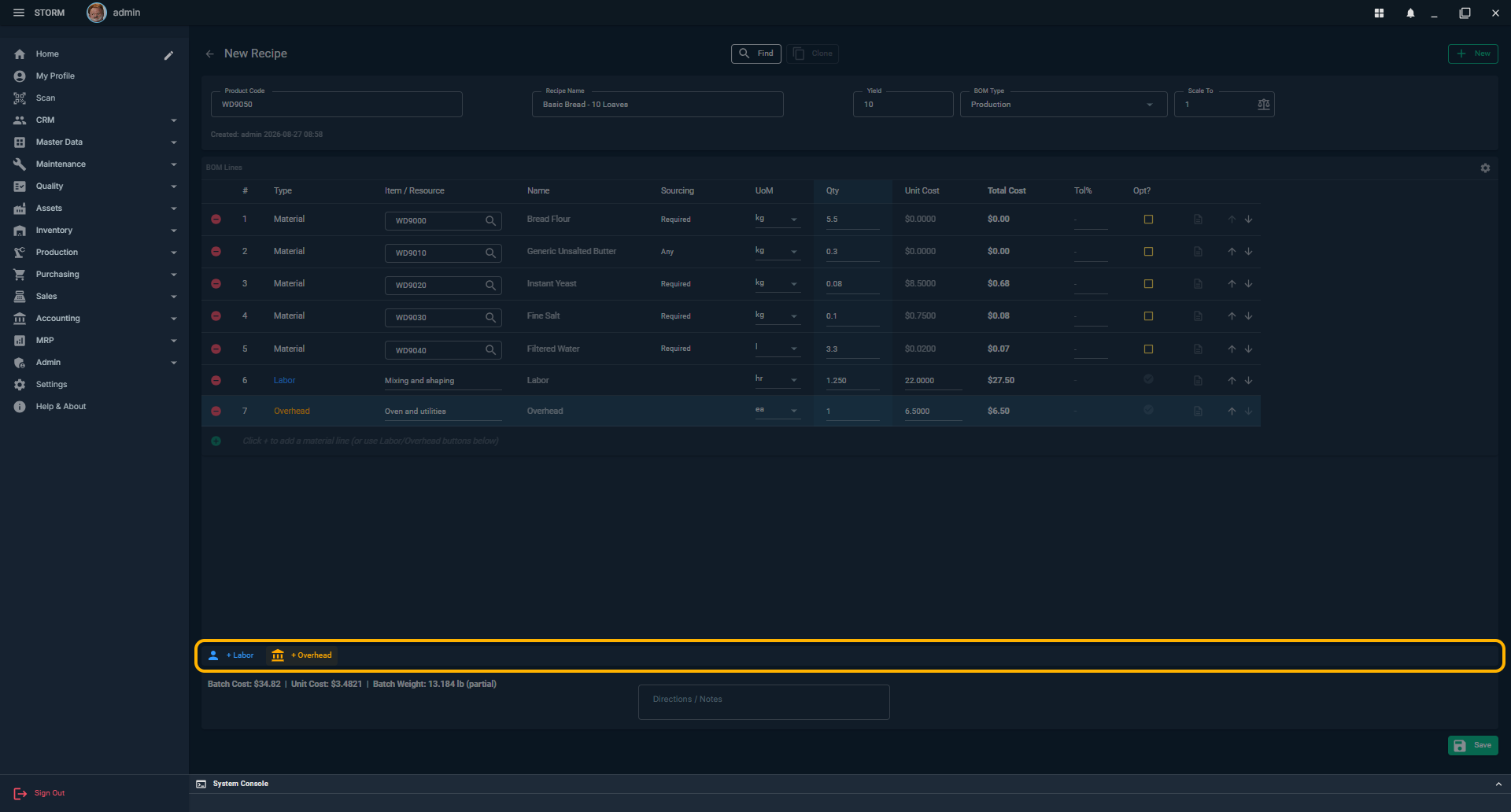
- Add non-material cost when needed. Use + Labor for labor time and + Overhead for utilities, oven burden, or another rate that should affect cost but not inventory.
- Add directions. Use Directions / Notes for mixing, proofing, bake temperature, or other instructions. Line notes are useful for ingredient-specific handling.
- Review totals and save. Check Batch Cost, Unit Cost, Batch Weight, quantities, UoMs, and sourcing. Click Save.
From Formula to Transaction History
Saving a recipe defines intent; it does not move inventory. When a production order later starts, issues material, records waste, and receives finished goods, those real events can be shown together in Flow Trace. Future transaction-history guides will extend this same verified bread scenario so the screenshots, document numbers, lots, quantities, and trace chain all describe one coherent run.
How Sourcing Works
Any
The line names a generic. At production Start, STORM may resolve any usable physical item in that family.
Preferred
The selected physical child is preferred, but an eligible sibling may be used if necessary.
Required
Only the exact physical item may satisfy the line. Missing stock blocks Start instead of silently substituting.
Before You Use the Recipe
- The product code, yield, and BOM type describe the intended batch.
- Every material quantity uses a valid conversion for the selected item or generic.
- Any, Preferred, and Required reflect the substitutions production is allowed to make.
- Optional ingredients are explicitly marked optional; required materials are not.
- Batch cost and batch weight are reasonable before creating a production order.